
Quick start
Start ilrepl and type an instruction. The line under it is the simulated evaluation stack,
bottom to top.
il[1]> ldc.i4 6 ┊ [int32]il[1]> ldc.i4 7 ┊ [int32, int32] ◂ topil[1]> mul ┊ [int32]il[1]> ret = 42 : int32ret, or an empty line, compiles everything you typed since the last run into a method, runs it,
and prints whatever single value was left on the stack. An empty stack means the cell was void.
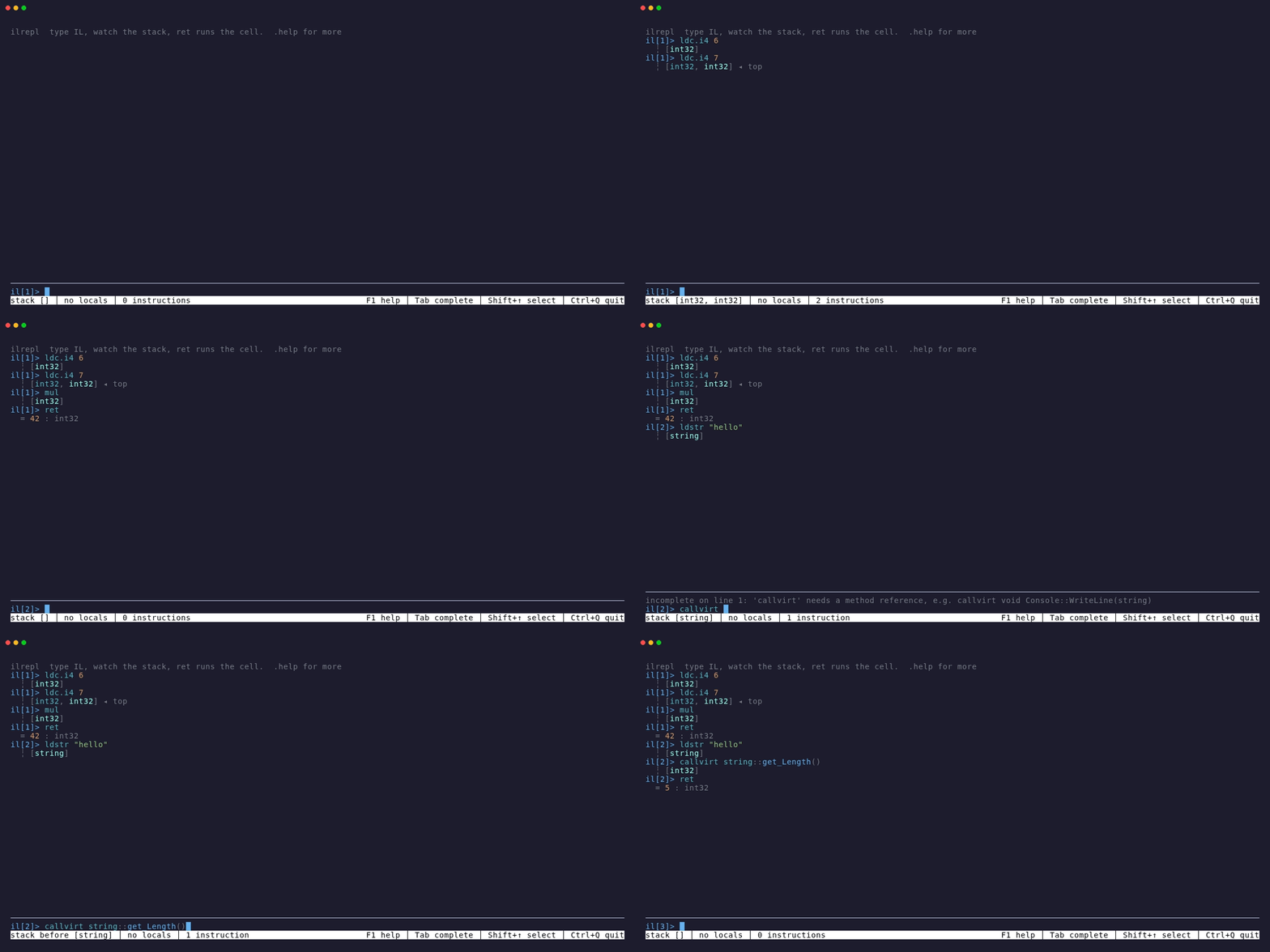
Member references use ILAsm syntax, with two conveniences: the return type and the [assembly]
prefix are optional, and short type names resolve through the common System namespaces.
il[2]> ldstr "hello" ┊ [string]il[2]> callvirt instance int32 String::get_Length() ┊ [int32]il[2]> ret = 5 : int32When a name is ambiguous the error lists the overloads so you can pick one.
Locals and loops
Section titled “Locals and loops”Locals are declared with .locals and persist across cells. Their values do not; each run starts
fresh.
il[3]> .locals init (int32 i) locals: 0:int32 iil[3]> ldc.i4.0 ┊ [int32]il[3]> stloc i ┊ []il[3]> LOOP: ldloc i ┊ [int32]il[3]> ldc.i4.1 ┊ [int32, int32] ◂ topil[3]> add ┊ [int32]il[3]> dup ┊ [int32, int32] ◂ topil[3]> stloc i ┊ [int32]il[3]> ldc.i4 10 ┊ [int32, int32] ◂ topil[3]> blt LOOP ┊ []il[3]> ldloc i ┊ [int32]il[3]> ret = 10 : int32A label is a name followed by a colon, on its own line or before an instruction. A branch to a label that has not been defined yet is fine; the cell will not run until it is.
Methods persist the same way: .method int32 Twice(int32 n) { opens one, } closes it, and later
cells call it with call int32 Twice(int32). Enter continues the block while its braces are open
and sends it, line by line, once they balance; a pasted block waits for Enter the same way. See
Methods and Editing blocks.
Mistakes
Section titled “Mistakes”The stack model catches the common ones before the runtime sees them.
il[4]> add error: stack underflow: 'add' pops 2 values but the stack has 0: [] add Expected: 2 stack values Stack before (bottom → top): [] missing value: expected 2 more stack value(s); actual missingil[4]> lcd.i4 1 error: unknown opcode 'lcd.i4' (did you mean 'ldc.i4'?)The model follows branches and checks the stack where paths meet. While editing, the status bar
shows the stack before the instruction at the caret; F8 moves to the next diagnostic. .show
lists the accepted body with the stack after each instruction. The runtime still checks the
emitted IL when it compiles or runs.
Getting around
Section titled “Getting around”Tab completes opcodes, commands, types, and members, with a palette that shows each candidate’s stack effect.
Up and Down choose palette rows; with the palette closed, they reach history from the first and
last editor lines. History keeps a block as one entry and lasts between runs. .help prints
the full command list, .ops lists opcodes, and Ctrl+Q leaves.